Plans, limits & alerts
What each plan includes, the limits the product enforces, the agent budget, alert rules on metrics, billing and refunds.
Plans
| Free | Pro | Team | Enterprise | |
|---|---|---|---|---|
| Projects | 2 | 20 | 100 | unlimited |
| Datasets | 5 | 100 | 500 | unlimited |
| Storage | 50 MB | 1 GB | 5 GB | unlimited |
| Max file size | 10 MB | 50 MB | 50 MB | 50 MB |
| Live bindings | 1 | 10 | 40 | unlimited |
| Fastest refresh | every 30 min | every 5 min | every 1 min | every 15 s |
| AI story generations | 3 / month | 25 / month | 100 / month | unlimited |
| Members | 1 | 3 | 10 | unlimited |
| Custom domain | no | yes | yes | yes |
| Custom slug on the pretty URL | yes | yes | yes | yes |
| Remove the Spatly plate | no | yes | yes | yes |
| MCP server | yes | yes | yes | yes |
| Price | $0 | $59 / month · $590 / year | $199 / month · $1,990 / year | from $499 / month |
The MCP server and the REST API are on every plan, including Free. Limits are enforced when you cross them, not by disabling what you already made: reaching the project limit stops new projects, it does not lock the ones you have.
A live binding is one dataset that refreshes: a URL, REST, webhook or MCP connection. Uploaded files are not live bindings.
Max file size is per upload. Storage counts the bytes you send us; PostGIS keeps roughly three times that on disk once the features are loaded, which is why the storage numbers are smaller than the disk they occupy.
Fastest refresh is the shortest interval a live binding may run at. Ask for something faster and it is silently raised to the plan floor, with a notice saying so; the scheduler applies the same floor at run time, so a binding created on a paid plan slows down when the workspace drops to Free instead of breaking.
AI story generations are counted per workspace per calendar month (UTC) and reset on the first of the month. The counter covers ai.generateStory; Ask the map and Explain this view are not metered.
notecustom domain is a plan entitlement; serving a published surface from your own hostname is not yet available on this deployment. Every plan can set a custom slug on the pretty URL today (/<workspace>/<your-slug>).
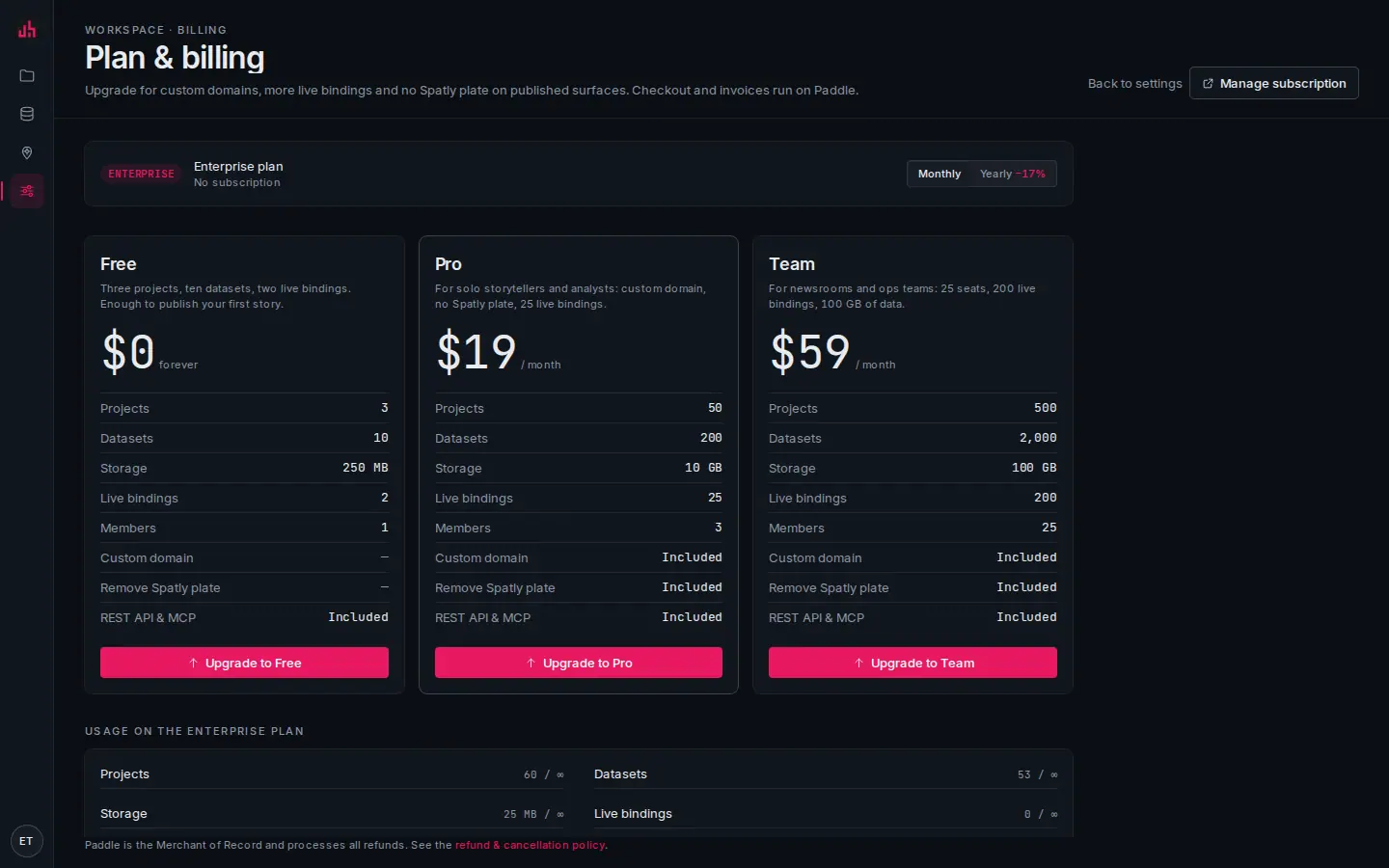
- Current plan: and the renewal date when a subscription is active.
- Usage: projects, datasets, storage, live bindings, seats and AI story generations this month, each against the plan limit.
- Plans: monthly and yearly; checkout opens in an overlay and returns to this page.
Billing
Payments are handled by Paddle as merchant of record: they take the payment, charge and remit VAT/sales tax, and appear on the statement. Changing plan is immediate and prorated; cancelling keeps the plan until the end of the paid period and then drops the workspace to Free without deleting anything.
Refunds are covered on the refund policy page.
Going from a paid plan back to Free does not delete projects or datasets over the limit. They stay readable, and creating new ones is blocked until you are back under the limit. Surfaces published while on a paid plan keep the badge setting they had.
The agent budget
Independently of the plan, every workspace bounds what tokens and agents can pull. The values live on the workspace record and are reported by GET /api/v1/me and by the MCP mcp.usage query:
| Setting | Default | Effect |
|---|---|---|
maxCallsPerMin | 60 | over it, calls return 429 rate_limited with Retry-After |
maxRowsPerCall | 500 | every feature query and list is clamped to this |
requireBbox | false | when on, a feature query without a bounding box is refused |
mcpEnabled | true | switches the MCP server off for the workspace entirely |
Per-connection query policy applies on top; the tighter of the two wins. Published surfaces read at up to 600 requests per minute per public id.
notethe budget is enforced on every call, but there is no editor for it in the settings UI yet, so the defaults above are what a new workspace gets. Ask us if you need them changed.
Alerts
An alert watches one metric and e-mails when it crosses a threshold. Rules are evaluated after every refresh of the underlying source, so an alert on a live feed fires within one refresh interval.
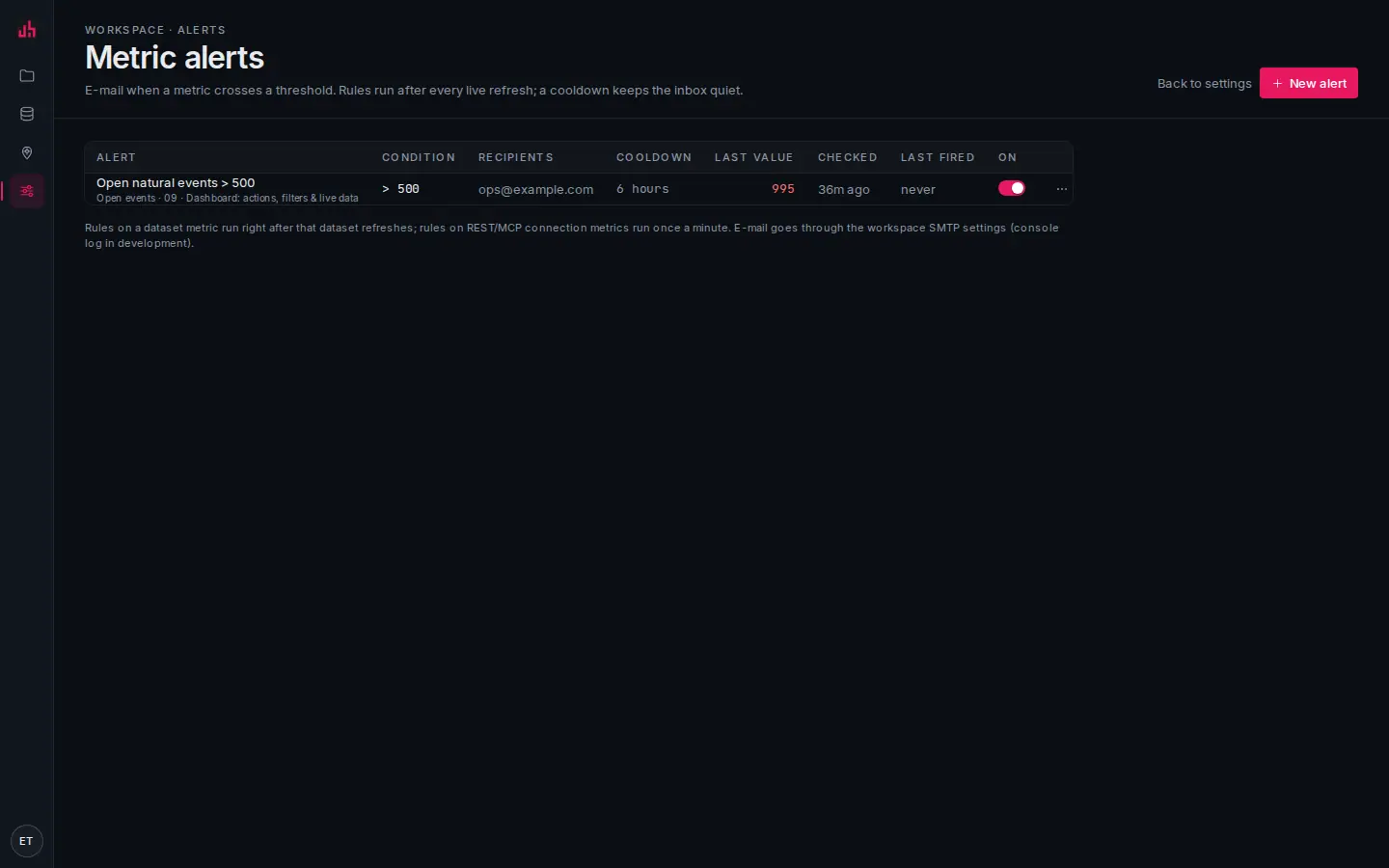
- Alerts: workspace-wide, across every project.
- Rule: metric, comparison and threshold, in the rule's own words.
- Recipients and cooldown: who gets it and how often at most.
- State: enabled, last evaluated, last fired.
{
  metricId: "<metricId>",
  name: "M5+ inside the AOI",
  op: "gt",                 // gt · gte · lt · lte · eq · ne
  threshold: 0,
  cooldownSec: 21600,       // 6 hours; 60 s minimum, 7 days maximum
  recipients: ["ops@example.com"],   // 1 to 20 addresses
  params: {                 // optional scope, same shape as a metric query
    bbox: [25, 35, 45, 43],
    where: { mag: { gte: 5 } },
    aoi: { /* GeoJSON polygon */ },
    time: { from: "…", to: "…" }
  },
  enabled: true
}
- Cooldown is what keeps a flapping value from sending fifty mails: after a rule fires it stays quiet for
cooldownSec. - Test sends the rule through a real evaluation and shows the value it saw; with send on it also delivers the e-mail, so you can prove the address works before you need it.
- A rule on a static dataset never fires on its own, because nothing re-evaluates it. The alerts page marks which metrics are live.
E-mail delivery needs EMAIL_HOST, EMAIL_PORT, EMAIL_USER, EMAIL_PASSWORD and DEFAULT_FROM_EMAIL on the server. Without them rules still evaluate and record, but no mail goes out.
API tokens
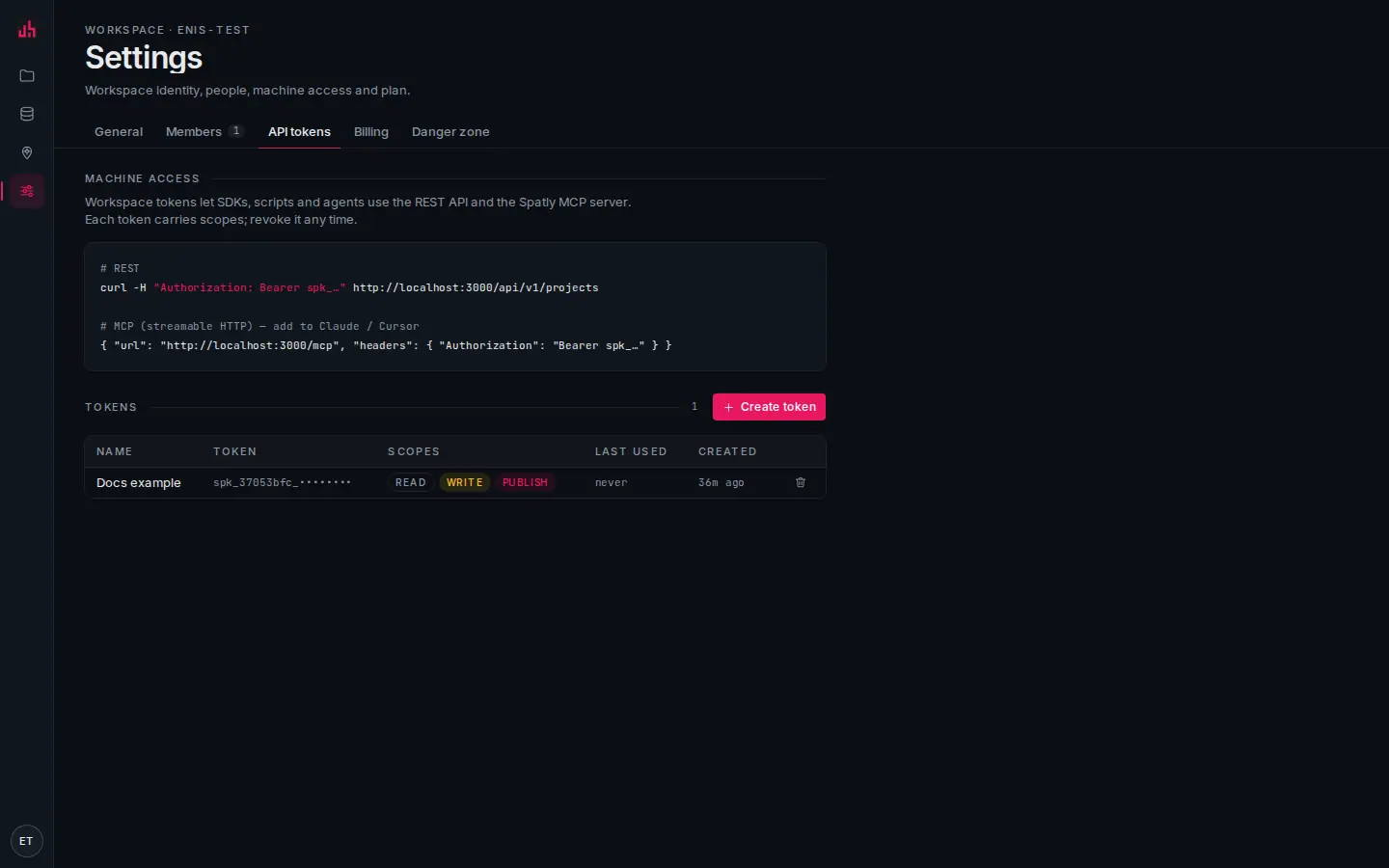
- Settings tabs: General, Members, API tokens, Billing, Danger zone.
- Ready-made snippets: the REST call and the MCP client entry for this deployment, with your origin filled in.
- Create token: name it and pick scopes. The secret is shown once, at creation, and never again.
- Tokens: prefix, scopes, creator, last use. Revoke takes effect immediately.
Tokens are workspace-bound and carry scopes read, write and publish. See REST API and MCP server.
What counts against what
| Action | Counts against |
|---|---|
| Uploading a file | datasets, storage, max file size |
| Adding a URL/REST/webhook/MCP connection | datasets, live bindings |
| Adding a catalog preset | datasets, live bindings |
| Creating a project | projects |
| Publishing a surface | nothing |
| Inviting a member | members |
| Generating a story with AI | AI story generations this month |
Deleting a project keeps its datasets in the library, because datasets are workspace-level and shared. Delete them from Data if you want the storage back.
Verified on 2026-09-11 against the local development build (limits read from PLAN_LIMITS; upload cap, refresh floor and the AI counter exercised; alert create, test and delete exercised on a live metric).
Something wrong or missing? Write to hello@spatly.io.