Slides
Spatial slide decks: full-viewport slides bound to beats, a frame canvas with presets, presenter mode and conversion from a story.
The model
A slide is a map state plus a content layout. Same project, same layers, same beats as a story. The navigation is different: horizontal, by key, click or swipe. Decks are letterboxed (16:9 by default, 4:3 or auto) with a mono counter bottom-right.
{
  beatId: "<beatId>",
  preset: "sidecar",                 // title · sidecar · fullbleed · split · kpiRow · blank · mediaLeft · mediaRight
  transition: { kind: "fly", durationMs: 1200, curve: 1.42, crossfade: true },
  notes: "What to say out loud.",    // presenter only
  mapRect: { x: 0.5, y: 0, w: 0.5, h: 1, z: 0, rotation: 0 },   // sidecar / split
  background: "#0b0f14"
}
Authoring
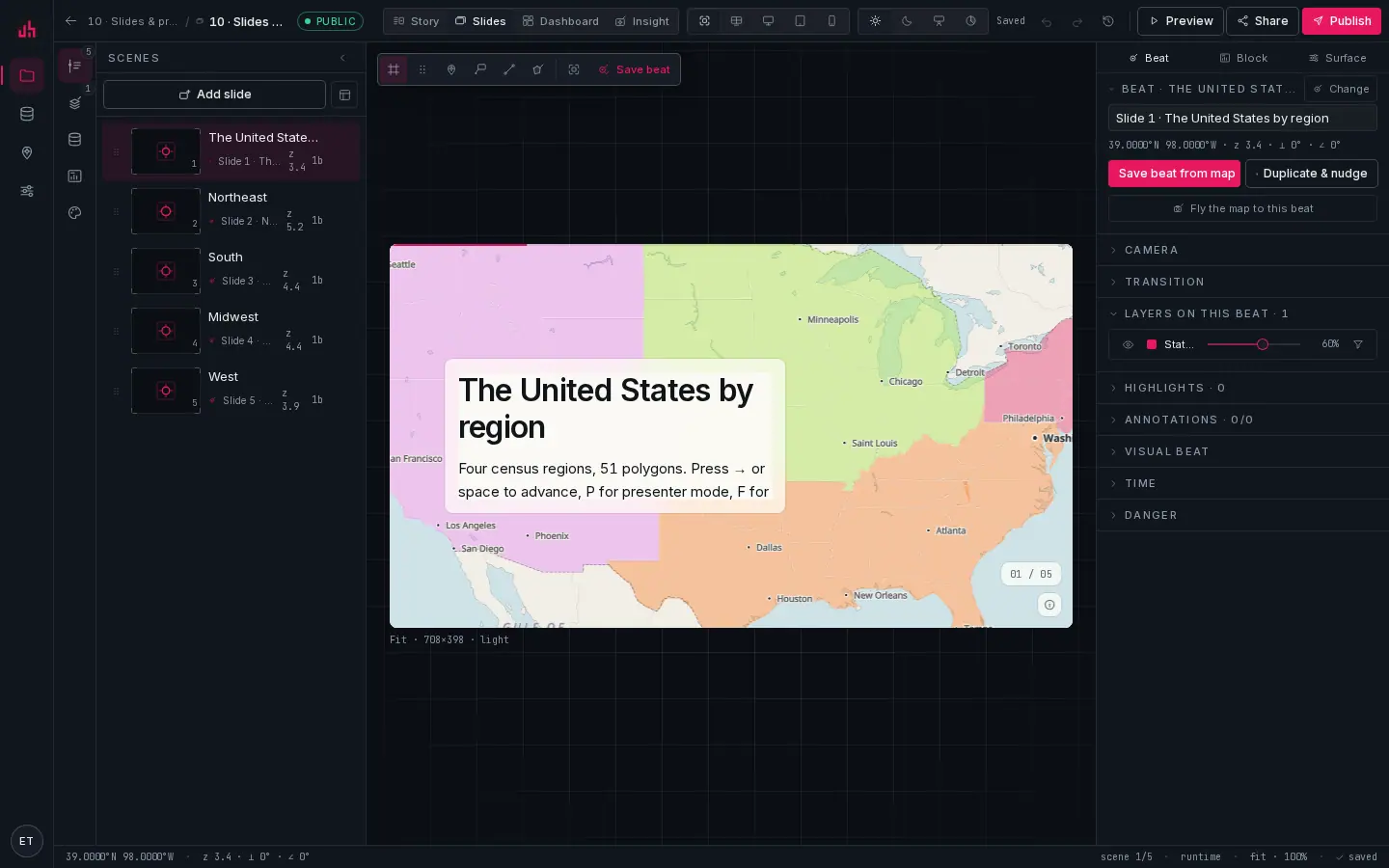
- Slide rail: the deck in order. Drag to reorder, click to fly the map to that slide's beat.
- Slide canvas: letterboxed at the deck aspect. Frames are placed as fractions of the slide, so the layout survives any projector.
- Counter: the slide number, bottom-right, in mono.
- Surface switch: the same project's story, dashboard and insight are one click away, and the menu converts between story and slides.
- Beat inspector: the same beat object a story chapter uses.
- Preview: opens the deck as a reader sees it.
- Layout presets:
title,sidecar,split,fullbleed,kpiRow,mediaLeft,mediaRight,blank. A preset arranges the frames; you can still move any of them afterwards. - Free-form frames: every block carries
{ x, y, w, h, z, rotation }in slide fractions. Multi-select, group, lock, hide; nudge with the arrow keys (⇧for ×10). - Shared layers: one layer library across the deck; each slide overrides camera, visibility and filters through its beat.
- Notes: per slide, shown only in presenter mode.
noteframes are rotatable in the model (rotation) but there is no rotation handle on the canvas yet, so set the value in the block inspector.
Presenting
Press Present in the viewer (or P). Presenter mode gives you a fullscreen deck, your notes, a peek at the next slide, and a laser that lives on the map: it follows the camera, so pointing at a district keeps pointing at it after a flight.
| Key | Action |
|---|---|
→ Space PgDn | next slide |
← PgUp | previous slide |
Home / End | first / last slide |
P | presenter mode |
F | fullscreen |
L | laser on the map |
N | toggle notes |
B | black the screen |
Esc | exit |
Flights honour prefers-reduced-motion: on a machine set to reduce motion the deck jumps between slides instead of flying.
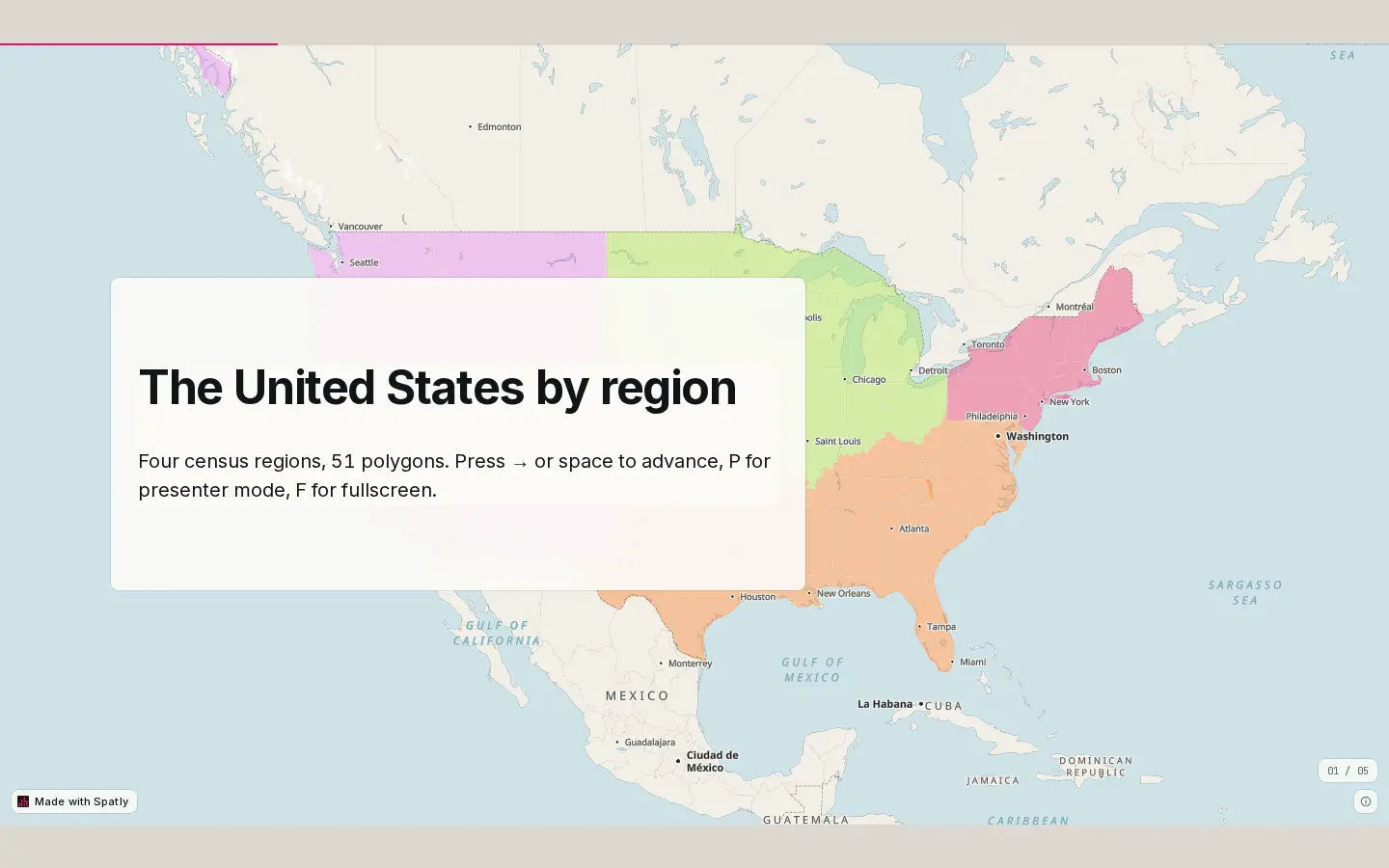
- Stage: the slide, letterboxed to the deck aspect against the surface colour.
- Counter: current slide over the total; click it for the slide list.
Mobile
Swipe left and right. Frames reflow to a single column under the map, and the counter moves into the bottom stack with the scale bar and attribution.
From a story, and back
Build from Story turns each chapter into a slide with the same beat; the reverse builds a story from the deck. Both surfaces reference the same beats, so a camera fixed in one is fixed in the other. Find it in the surface switch menu in the top bar.
Sharing
Decks publish with the same states as everything else (draft, unlisted, public, password, domain-restricted) and embed with the same snippet. See Publishing and Embedding.
Verified on 2026-09-02 against the local development build (sample project 10).
Something wrong or missing? Write to hello@spatly.io.