Stories
Scroll-driven map narrative: chapters bind narrative blocks to beats, scroll progress drives the camera, and the editor is the viewer.
The model
A story is an ordered list of chapters. Each chapter binds:
- narrative blocks: heading, paragraph, list, pull quote, callout, stat chip, image, video, table, embed, divider, spacer, SVG, code, caption
- a beat: camera, per-layer visibility/opacity/filter, annotations, highlights, basemap, terrain and time (Beats & camera)
- an optional visual beat: swap the sticky pane to an image, video, SVG scene, before/after swipe or a chart, then back to the map
- a transition:
fly,easeorjump, with layer crossfade - optional scroll tweening: camera and layer opacity interpolated against scroll progress rather than snapped on entry
The map never scrolls away. Scroll drives map state, not map position on the page.
The viewer
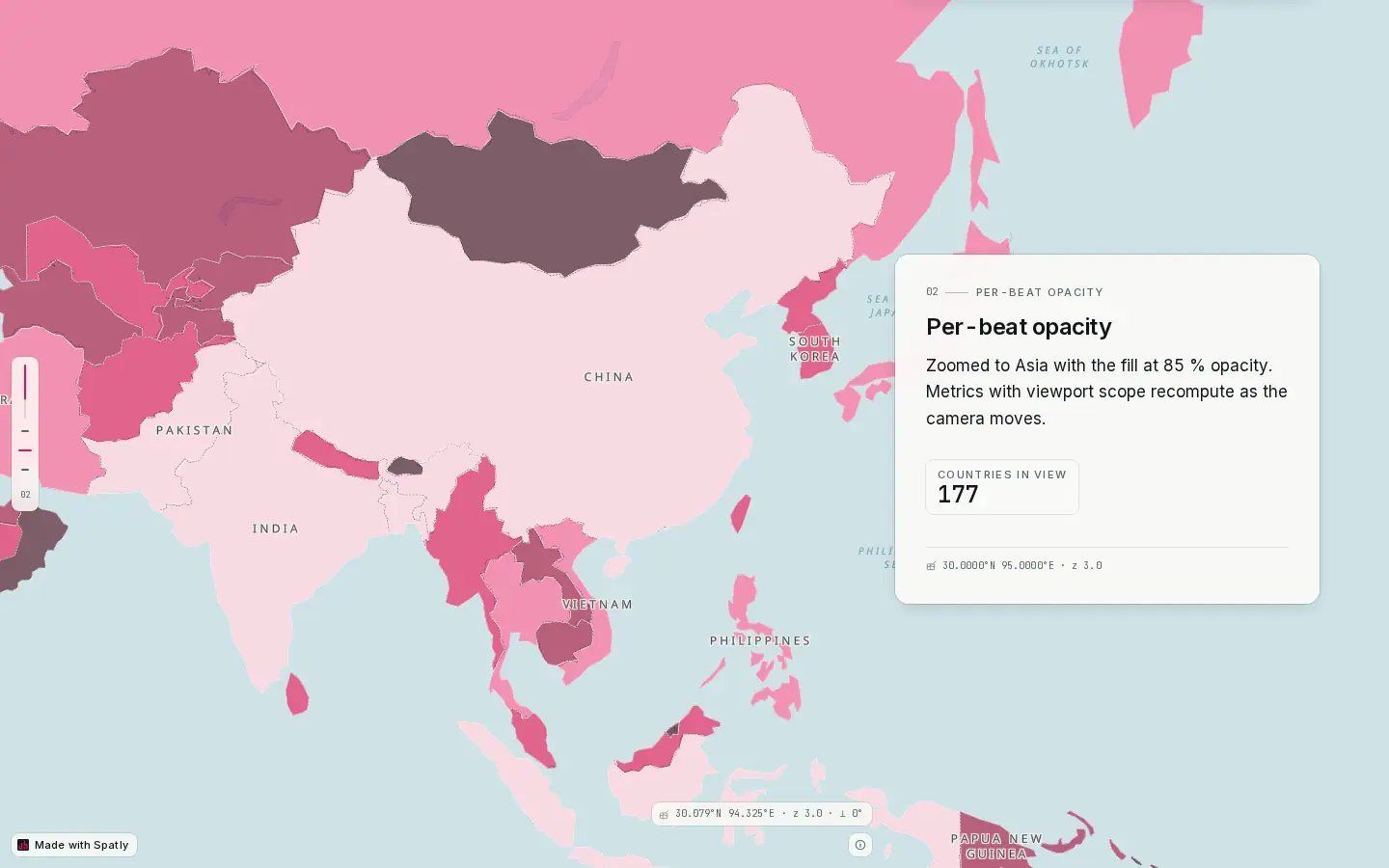
- Sticky map: it stays put; each chapter changes what it shows, not where it is on the page.
- Chapter card: glass over a dark map, paper over a light one, capped at about 60 characters per line.
- Progress rail: one tick per chapter, with the active chapter marked. Clicking a tick jumps there.
- Stat chip: a live metric inside the narrative. It carries its own as-of stamp.
- Coordinate stamp: the beat's centre and zoom in mono. On a phone it collapses to an icon you can tap.
- Made with Spatly: bottom-left, removable on paid plans.
Layouts
| Layout | Desktop | Phone |
|---|---|---|
sidecar (default) | sticky map on one side, a narrative column on the other (panelWidth, default 440 px, side left or right) | stacked: the map becomes a sticky header and chapters scroll beneath |
floating | the narrative card floats over a full-bleed map | the card becomes a bottom sheet |
fullbleed | full-bleed map, overlay text only | full-bleed |
Story-level props: glass (glass vs solid panel), progressBar, chapterNav, hero plus title / subtitle / byline / coverBeatId, and mobile (stacked or fullbleed). Per chapter you can override layout, panel.width, panel.side, panel.align and panel.glass.
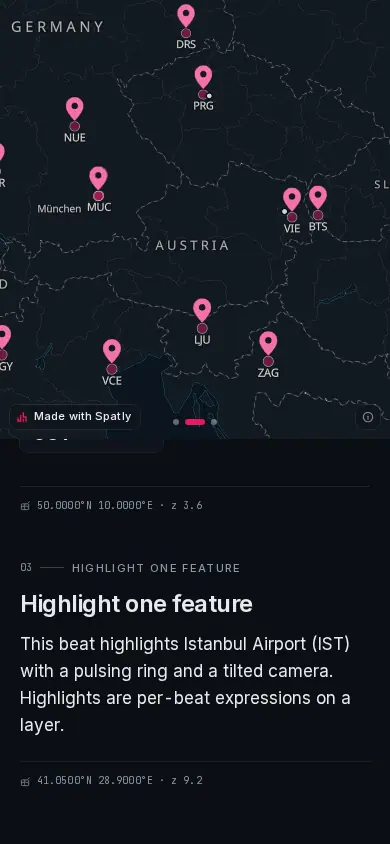
- Sticky map header: about half the viewport; beats still fly.
- Chapter: full width beneath the map, one column, larger tap targets.
- Coordinate stamp: collapsed to an icon; tap to open.
Check the phone layout while you author it: the Preview width switch in the top bar has a phone preset, and it renders the real mobile layout rather than a narrow desktop one.
The chapter editor
The Studio canvas is the published runtime. Click text to edit it in place; the block menu is on /; @ mentions a layer, feature or KPI.
- Click a chapter in the Scenes rail → the map flies to its beat.
- Drag chapters to reorder.
[and]step. - Move the map, press Save beat (
B). Duplicate & nudge for the next chapter. - Per-chapter layer visibility, opacity and filters in the beat inspector.
- Per-chapter design (typography scale, panel width, glass vs solid, alignment) in the block inspector.
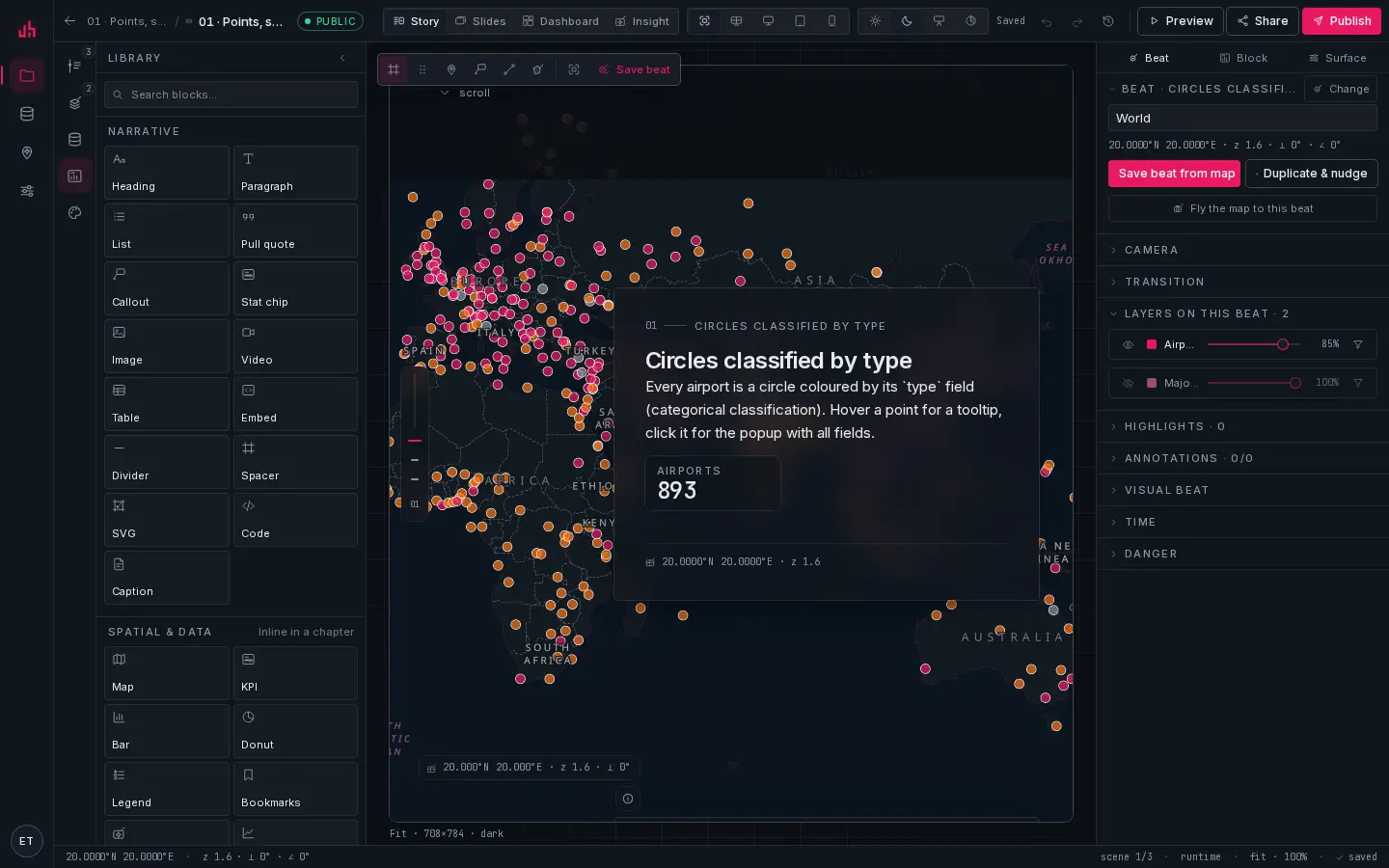
- Search blocks: type to narrow the list.
- Narrative: heading, paragraph, list, pull quote, callout, stat chip, image, video, table, embed, divider, spacer, SVG, code, caption.
- Spatial & data: a map, KPI, chart, legend or bookmark strip placed inline in a chapter, not only on dashboards.
- Canvas: drag a block onto the chapter to place it; drop a map marker onto the map to drop a pin at that longitude and latitude.
Scroll choreography
By default a chapter snaps on entry: the transition runs once as the chapter reaches the reading line. With scrollTween the chapter interpolates towards the next one as you scroll:
import { interpolateCamera, interpolateLayerStates } from "@spatly/schema";

const cam = interpolateCamera(beatA.camera, beatB.camera, progress);                        // bearing on the shortest arc
const states = interpolateLayerStates(beatA.layerStates, beatB.layerStates, progress, ids); // opacity and reveal lerp
Use it where the movement is the point: a slow zoom into a district, or a layer that fades up as the paragraph explains it. Use snapping everywhere else; a story where everything tweens feels seasick.
Spatial mentions
Type @ in text to mention a layer, a feature, a KPI or a beat. Mentions stay live: a @kpi renders the current value with an as-of stamp, a @feature highlights on the map when the reader hovers it, and a @beat is a link that flies the map.
Stat chips
A stat chip is a metric in the flow of the text: a label, a big number and an as-of stamp. Bind it to any metric in the project.
warninga chip shows the metric's own scope, evaluated once. In a published story a metric with spatialScope: "viewport" currently reports the whole dataset rather than what the chapter's camera frames, because the camera does not reach the metric request. To make a number chapter-specific today, give the metric a filter (or make a metric per chapter) instead of relying on viewport scope. Dashboards are unaffected; their viewport metrics do recompute. Tracked in docs/DOCS-QA.md.
Snapshot or live
Per layer, choose frozen (the copy taken at publish) or live (the viewer polls the source). Stories default to frozen so an old story keeps saying what it said. Set the layers you want to move to live explicitly.
Deep links
Each chapter is addressable: https://spatly.io/s/<publicId>#ch=3. Copy view link in the viewer writes the current beat as ?beat=. A deep-linked load scrolls instantly rather than smoothly, so the reader lands on the right chapter even before tiles and fonts settle.
Convert to slides, and back
Story → Slides turns each chapter into a slide bound to the same beat; Slides → Story does the reverse. Nothing is copied in the database. Both surfaces reference the same beats, so editing a beat updates both. Find it in the surface switch menu in the top bar.
Accessibility and motion
prefers-reduced-motion→ transitions become jumps, highlights stop pulsing.- The narrative column is a normal document: headings nest, links are links, images take alt text from the block.
- In view mode the map does not capture the wheel, so scrolling over the map still scrolls the story. Hover, click and feature popups still work.
Verified on 2026-09-02 against the local development build (sample projects 01 to 08 and 11).
Something wrong or missing? Write to hello@spatly.io.